I Analyzed 3,054 Hit Vocals. Here's Exactly How Much They Compress.
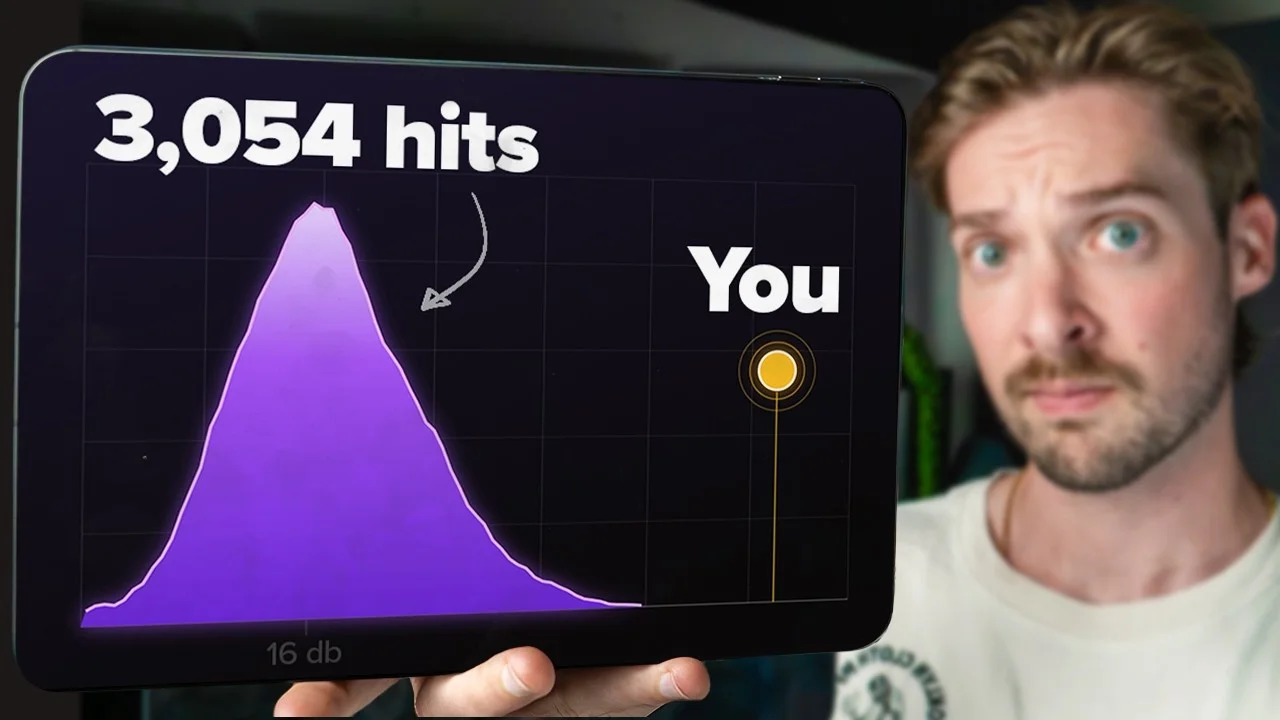
I analyzed 3,054 hit vocals to figure out what the best songs are doing for vocal compression. Sure enough. There's a pattern. Today, I'm breaking down what tha

Key Takeaways
- Aim for a vocal crest factor around 16 dB - 90% of hits land between 14 and 18
- Crest factor is peak minus RMS - lower means more compression, higher means more dynamics
- Ride your vocal volume before compressing so the compressor isn't doing all the work
- Try two FET compressors in series at 3:1 - 4:1, 15ms attack, ~5 dB gain reduction each
- Measure only the voiced parts - silence inflates your crest factor and ruins the reading
Here’s something that genuinely broke my brain a little.
I pulled the vocals from one of Bad Bunny’s biggest songs and measured them. Then I measured Boyz II Men. Then Garth Brooks. Beyoncé. Bruno Mars. Lady Gaga.
Same number. Over and over again.
I also made a full video on this…
All the ideas in this article come from the video below. If you don't feel like reading, well, I gotchu.
So I did the obvious thing and analyzed every Billboard hit from the last 35 years - all 3,054 of them - to see if the pattern held.
It did. And it’s not even close.
These vocals don’t just average out to the same number. They cluster inside one tiny window. Different decades, different genres, different engineers, different studios - and they all land in basically the same spot.
That number is 16 dB of crest factor.
Let me explain what that actually means, why it matters, and exactly how to get your own vocals into that pocket.
What Crest Factor Actually Is
If you’ve never heard the term “crest factor,” it’s probably because you’re a musician and not an electrical engineer. Good news - it’s stupidly simple.
Crest factor is the difference between the highest peak of your vocal and the average level of the rest of it.
In math terms:
Peak - RMS = Crest Factor
That’s it. Your tallest transient minus the average loudness of the signal.
Here’s why it’s useful: the bigger the gap between the peak and the average, the more dynamic range your vocal has. If you squash that signal with a compressor, that gap shrinks.
So:
- Lower crest factor = more compression
- Higher crest factor = more dynamics
It’s a proxy. Not a perfect measurement - I’ll get to that - but it’s a genuinely good window into how hard a vocal is being squeezed.
What it sounds like
A raw, unprocessed vocal I tested sat at around a crest factor of 20. Open, dynamic, breathing.
The same vocal with a ton of compression on it dropped below 12. Tight, forward, glued to your face.
You can hear the difference immediately. There’s way less distance between the true peak and the average - every syllable arrives at roughly the same volume.
The Honest Caveat About This Number
Crest factor is not a perfect measure of compression, and I’d be lying if I said otherwise.
The final dynamic range of a hit vocal comes from a pile of processing:
- Compression
- Saturation
- Clipping
- Limiting
- Manual volume automation
- Whatever the mastering engineer did after
There’s no tool on earth that can reverse-engineer exactly which plugin did what to a finished record.
But - and this is the important part - the single thing that moves the needle on crest factor more than anything else is compression. So while it’s a proxy, it’s a good one.
And yes, the headline finding is “hit vocals are compressed,” which… shocker. Water is wet.
That’s not the interesting part.
The Interesting Part: How Tight the Cluster Is
Here’s what actually surprised me.
- Over 90% of 3,000+ hit songs fall between 14 and 18 dB of crest factor
- 72% of them fall between 15 and 17 dB
That’s an absurdly tight window across 35 years of music made by hundreds of different engineers who never talked to each other.
Nobody sat down and agreed on this. It just… converged. Because that’s where vocals sound right.
It Barely Changes Between Genres
I fully expected genre to blow this apart. It didn’t. Here’s the breakdown by average crest factor:
| Genre | Avg. Crest Factor |
|---|---|
| Christian | 15.4 |
| Rock | 15.6 |
| Alternative | 15.9 |
| Electronic | 15.9 |
| Country | 16.0 |
| Latin | 16.2 |
| Pop | 16.3 |
| R&B | 16.6 |
| Hip-Hop | 17.2 |
The entire spread from the most compressed genre to the least compressed genre is 1.8 dB.
That’s nothing. That’s a rounding error across 35 years of popular music.
Why hip-hop looks less compressed (but probably isn’t)
Hip-hop being the highest number at 17.2 caught my eye, and I have a theory.
I think rap vocals are actually more compressed than this suggests.
Crest factor is peak-based. Anytime you’ve got a lot of plosives and hard transients pushing that true peak higher, the crest factor looks more dynamic than the vocal actually is.
Rap has a ton of both. Hard consonants, aggressive delivery, plosive-heavy performances. Those spikes inflate the peak without changing the average much - so the math reads “dynamic” even when the vocal is slammed.
And chart position? Zero correlation.
I also did a video comparing #1 hit songs against everything else on the charts, and I checked this too.
There is no correlation between vocal compression and where a song placed. Getting the crest factor perfect doesn’t make you a hit. It just makes you sound like you belong in the room.
“But Mattie, How Did You Get the Studio Vocals?”
I didn’t. I don’t have the studio stems, and neither does basically anyone on the planet unless your name is David Guetta or Rick Beato.
What I did instead was use AI stem separation to pull the vocals out of the original masters.
I was genuinely skeptical of this approach, so I ran a bunch of validation on it.
Test 1: I compared the crest factor of the separated vocal, the separated instrumental, and the full mix. There was a huge difference between all three - which is exactly what you’d expect if the separation was actually working. If the algorithm was just smearing everything together, those numbers would converge.
Test 2: I ran everything through two completely different separation algorithms. First Demucs, then Kim’s Vocal 2 (my favorite stem splitter - I did a whole comparison video on these).
Two different algorithms, two different approaches, and they agreed to within one-sixth of a decibel.
That’s when I felt comfortable publishing this.
The Thing Nobody Talks About: Micro vs. Macro Dynamics
Before you slap a compressor on and chase 16 dB across your entire song - stop. There’s a second half to this.
The 16 dB number applies at the micro level.
Word to word. Syllable to syllable. Phrase to phrase. Within a section, hit vocals barely move in volume. That consistency is the whole point.
But when you zoom out to the full song - verse to chorus - everything changes.
Most songs add energy to the chorus. More voices, more doubles, more stacks, more volume. All those layered transients build on top of each other and exaggerate the peak.
The verse-to-chorus swing in my dataset ranged anywhere from 17 to over 50 in crest factor.
So here’s the rule:
Chase 16 dB on individual vocal tracks. Don’t chase it on the full song.
When you get to a chorus with 8, 12, 20 stacked vocals, that number is going to go wild and that’s completely normal. Don’t fight it.
Too much and too little
One of the hits with the lowest crest factor in the entire dataset is mixed really well - but you can hear the chorus getting squeezed flat. The energy stops building because everything’s already at the ceiling.
And on the other end, the most dynamic vocals in the set have life and movement, but they also fight harder to sit in the mix.
There’s a balance. Tight and upfront and always audible on one side, alive and breathing on the other.
16 dB is where those two forces meet. That’s not a coincidence - it’s 35 years of engineers independently arriving at the same compromise.
How to Get Your Vocals Into the Pocket
Alright. Practical part.
Step 1: Measure what you’ve got
You can’t hit a target you can’t see. So the first job is figuring out your current crest factor.
Free option: Voxengo SPAN. It’s great, but with two caveats:
- It shows max crest factor (max RMS minus RMS), which isn’t quite the same calculation I used here
- It includes the silence in your vocal track
That second one matters more than you’d think. Silence drags your average way down, which artificially inflates your crest factor. You’ll get a number that’s way higher than reality.
Better option: my free Vocal Analyzer. I helped build a web-based Vocal Analyzer that uses the exact same algorithm I used to build the 16 dB chart in this study.
Crucially, it only measures the voiced parts - it ignores silence - so the number you get is directly comparable to the hits.
It’ll also give you EQ suggestions and plugin chain recommendations while it’s at it. It’s free. Go use it.
Step 2: Ride your vocal before you compress
This is the step everyone skips and it’s the most important one.
If your vocal is dynamic, you need to level out the loudest and softest parts manually before any compression touches it.
Every pro does this. Every single one. It’s why their compressors sound gentle instead of like they’re wrestling the performance into submission.
The downside is it’s brutally tedious. Going syllable by syllable, drawing automation, nudging clip gain - it can eat an hour on a single lead vocal.
Shameless plug: I built magic.RIDE specifically to automate this. It reads the volume of your vocal and evens it out for you, so you get the pro-level pre-compression leveling without spending your evening drawing volume curves. There’s also a free vocal rider if you want to try the concept before committing.
You might land in the 14 - 18 window from riding alone. That’s a perfectly valid place to stop.
Step 3: Compression starting point
I still like adding compression after riding, because it glues everything together in a way volume automation can’t.
Here’s the chain I’d start with:
- FET-style compressor (an 1176 emulation works perfectly)
- Ratio: 4:1 or 3:1
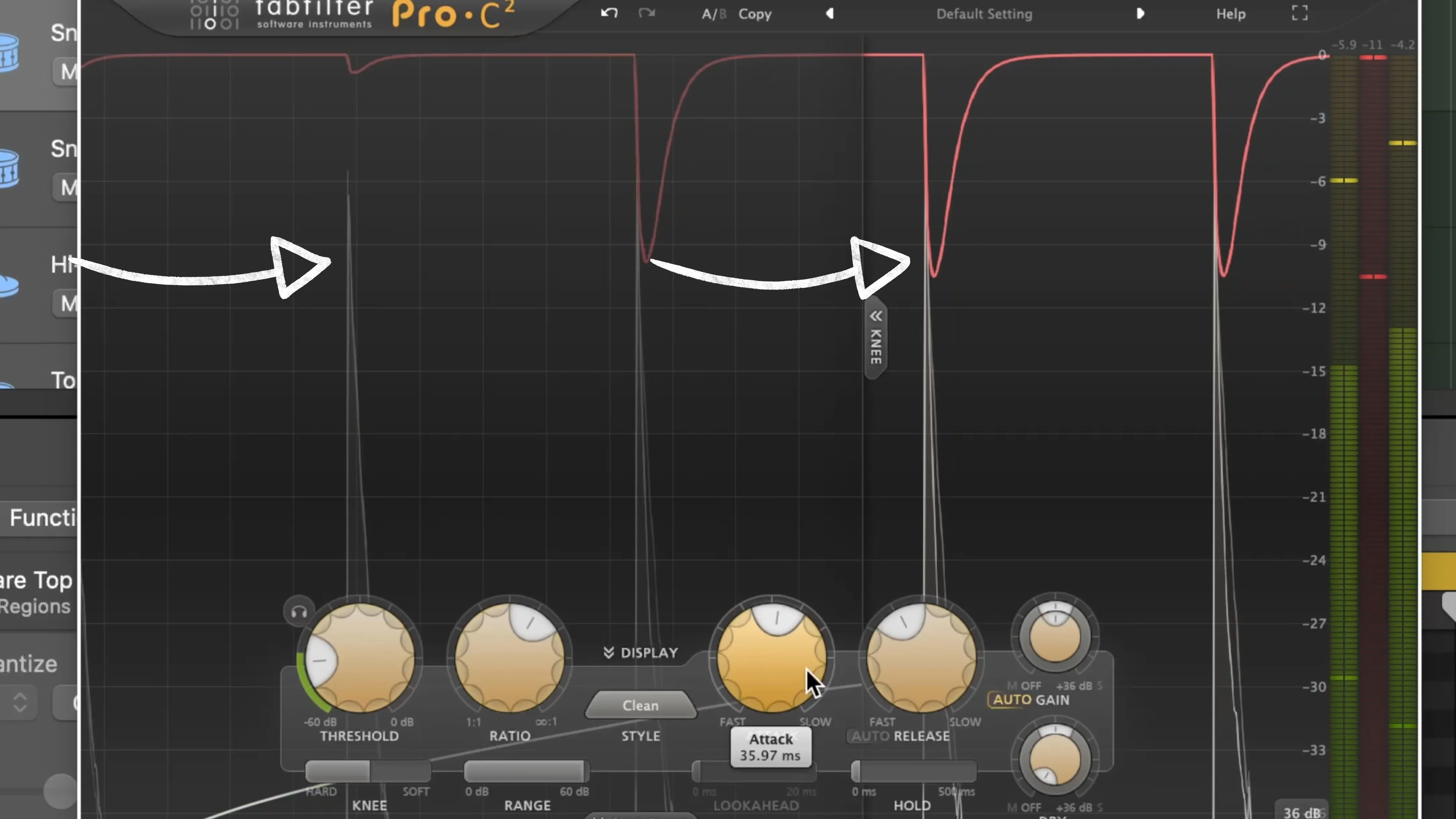
- Attack: around 15 ms
- Threshold: pull down until you’re getting around 5 dB of gain reduction
- Duplicate that compressor so you’ve got two working in series
Two gentle compressors in sequence will always sound more natural than one compressor doing twice the work. Serial compression is the whole secret.
Step 4: Add a limiter for an apples-to-apples comparison
Remember - the 3,054 songs I measured are mastered. If you’re comparing your unmastered vocal to a finished record, the numbers won’t line up.
So add a limiter. You can put it on the vocal track, but I usually keep it on my stereo out as a “dirty master.”
This post isn’t about mastering, but you need that stage in place for the measurement to be meaningful.
Step 5: Loop back and check
Run your vocal through the analyzer again. Check the new crest factor.
Then just ping-pong between your analyzer and your compressor until you’re sitting in that 14 to 18 dB pocket, ideally right around 16.
That’s the whole workflow. Measure, ride, compress, limit, re-measure.
The Most Important Thing in This Entire Post
Read this part twice.
A vocal that hits 16 dB of crest factor is not automatically a good vocal.
This is one variable in an equation with about forty of them. Tone, tuning, timing, performance, EQ, saturation, reverb, delay, arrangement - all of it matters, and most of it matters more than this.
Get the feeling and the vibe of the vocal right first. Chase the emotion. Then come back and tighten up the numbers.
It’s one thing to mix a vocal exactly like the hits do and nail this number dead center.
It’s another thing entirely to have a vocal that actually moves someone.
Do the second one first.
If you want a faster path to vocals that sit right without the guesswork, my Vocal Magic presets get you most of the way there in one click, and there are 10 free presets if you want to test the waters. And if you’d rather learn the whole process end to end, Pro Vocals in 60 Minutes walks through it.
Now go measure your vocals. I’m curious what you find.
About Mattie
Mattie is a music producer, songwriter, and educator specializing in Logic Pro and vocal production. With over 10 years of experience in the music industry, he's helped thousands of artists transform their home studio recordings into professional-quality tracks.
As the founder of Music By Mattie, he creates tutorials, presets, and courses that simplify complex production techniques. His mission is to make professional music production accessible to everyone, regardless of budget or experience level.